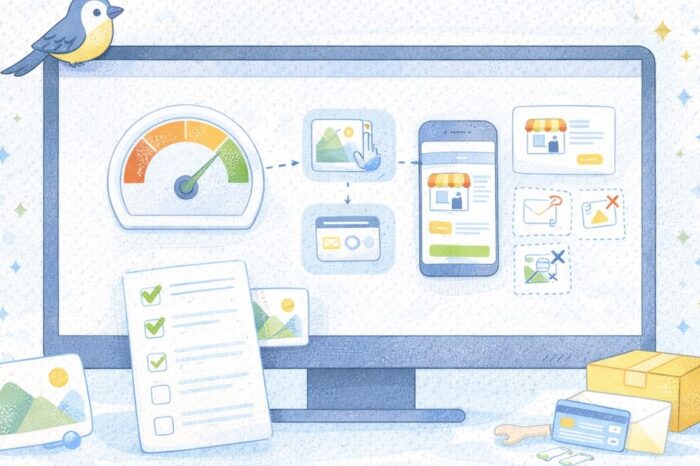




Website Speed Basics for Ecommerce

Why website speed matters more than people think
A lot of small store owners think of website speed as a technical issue for later. The store is live, the products look good, and the checkout works, so speed starts feeling like something to worry about once the business gets bigger. The problem is that shoppers feel slowness right away, even if they cannot explain exactly what is wrong.
A slow store feels harder to trust. Pages hesitate. Images drag. Buttons appear late. Mobile browsing gets annoying fast. None of that helps a small brand trying to make a good first impression.
For an online store, speed is not only about technical performance. It is also about clarity, confidence, and how easy the store feels to use. A faster page helps people browse with less friction, reach product pages sooner, and stay focused on what they came to do.
The good news is that the first speed improvements are usually practical. You do not need to become a developer to make meaningful progress. Most small stores can improve speed by fixing a few common issues first.
What usually slows down a small online store
Most slow small-store websites are not broken because of one dramatic problem. They usually get slower through accumulation. A heavy theme, oversized images, too many apps, too many scripts, popups layered on top of each other, and product pages that try to do everything at once can all add up.
One of the most common issues is image size. Product photos need to look good, but that does not mean every image should be uploaded at the largest possible resolution. If the homepage is trying to load giant banners, several product tiles, and extra lifestyle photos all at once, the page can start feeling heavy before the customer even scrolls.
Another common issue is app overload. A small store may install one app for reviews, one for popups, one for email capture, one for announcements, one for upsells, one for urgency, and another for analytics. Each one may sound useful on its own. Together, they can make the site feel slower and more cluttered.
Themes matter too. Some themes are cleaner and lighter. Others come packed with extra design features, motion effects, and layout options that look polished in demos but can add drag in real use.
A final issue is too much happening above the fold. If the top of the page has a promo bar, a popup, a slider, a video, a sticky button, and a chat bubble all competing at once, the page can feel busy before it feels useful.
The first speed fixes to make
The easiest way to improve speed is to start with the biggest wins, not the most advanced ideas.
1) Compress your images before uploading them
This is one of the most practical first steps. Product and homepage images should still look clean, but they do not need to be much larger than the space where they will actually display.
If a product photo will appear as a modest image on mobile, uploading a giant file does not help the shopper. It just makes the page heavier. A consistent image workflow can save a lot of time here:
- resize images before upload
- use a consistent image format
- avoid uploading originals straight from a camera or phone
- keep backgrounds and crops clean
A faster-loading image still does its job if it looks good on the page.
2) Remove apps or widgets that are not earning their place
A lot of speed cleanup is really tool cleanup. If an app is not clearly helping with sales, trust, or operations, it may be slowing the store down for no strong reason.
This does not mean removing everything. It means reviewing what is actually necessary. A small store usually does not need multiple popups, multiple badges, and multiple promotional widgets fighting for attention.
3) Keep the homepage calmer
A homepage does not need to load every idea the store has. Cleaner pages tend to feel faster because there is less to load and less to process visually.
That can mean:
- fewer oversized banners
- fewer autoplay elements
- fewer homepage sections
- a simpler hero area
- a more focused featured-products block
This is not only about speed numbers. It also improves the browsing experience.
4) Review your theme choices
If your theme gives you a lot of effects, motion, sliders, and fancy layout options, use those sparingly. Small stores often do better with simpler pages that load cleanly and get to the point faster.
You do not always need a new theme. Sometimes you just need to use the current one more lightly.
5) Check third-party extras
Review tools, chat widgets, social embeds, live sales notifications, video blocks, tracking scripts, and extra badges can all add weight. Some are worth it. Some are not.
Ask a simple question for each one: does this help the customer enough to justify the extra load?
That question alone can clean up a lot.
What to check on mobile first
A lot of shoppers will feel your speed problems on a phone before they ever notice them on desktop. That is why mobile should be part of the first review, not the last one.
Open your store on your own phone and look for practical friction:
- Does the homepage load smoothly?
- Do product images appear fast enough?
- Does the add-to-cart area show up without delay?
- Does the menu open quickly?
- Are popups interrupting the first experience?
- Do filters or category pages feel heavy?
Mobile speed matters because the browsing context is different. People may be on weaker connections, switching between apps, or looking at your store in a short spare moment. A page that feels acceptable on a laptop can still feel slow on a phone.
This is also where simplicity helps. A cleaner mobile experience with fewer competing elements usually feels faster, even before deeper technical changes happen.
Practical steps
- Test your homepage and top product pages on your own phone.
- Notice what appears slowly or feels clunky.
- Compress the biggest images first.
- Remove one or two unnecessary apps or widgets.
- Recheck the same pages after each change.
That kind of before-and-after testing helps you focus on changes that actually matter.
Common website speed mistakes to avoid
One common mistake is chasing advanced fixes before addressing the obvious problems. If the store still has oversized images, too many apps, and a crowded homepage, that is where the attention should go first.
Another issue is assuming that more features always improve the customer experience. In small ecommerce, more features often mean more load, more distraction, and more opportunities for the site to feel patched together.
There is also the problem of testing only on desktop. A page that feels fine on a strong connection and a large screen may still underperform where many real shoppers experience it.
Common mistakes
- uploading images larger than the page actually needs
- keeping too many apps active at the same time
- using too many sliders, popups, or moving elements
- treating every widget as necessary
- testing only on desktop
- focusing on fancy fixes before basic cleanup
Another easy mistake is making changes all at once and not knowing what helped. Small, deliberate fixes are easier to learn from. Compress a group of images, retest. Remove one app, retest. Simplify one homepage section, retest. That approach is usually less stressful and more useful.
A simple example: imagine a store homepage with a large slider, three product carousels, a popup, a review app, a chat bubble, and heavy lifestyle images. It may not look “slow” in the backend at first glance, but the customer feels the drag. A trimmed version of that page can often feel much better without a full redesign.
A quick speed checklist summary
Quick checklist
- [ ] Homepage and top product pages load cleanly on mobile
- [ ] Images are resized and compressed before upload
- [ ] The theme is being used simply, not at maximum effect
- [ ] Unnecessary apps or widgets have been removed
- [ ] Popups and overlays are limited
- [ ] Third-party extras are reviewed for real usefulness
- [ ] The top of the page is calm and easy to load
- [ ] Product pages focus on what shoppers actually need
- [ ] Changes are tested one at a time
- [ ] The store feels easier to use after each improvement
If several of these points still need work, the store probably does not need more features. It probably needs lighter pages.
Start with the big wins, then keep it simple
Website speed can sound technical, but the first round of fixes is often about restraint. Fewer heavy images. Fewer extra tools. Fewer things happening at once. More focus on what the shopper actually came for.
For a small online store, that is good news. It means you do not need a perfect technical setup to make real progress. You need a store that loads more cleanly, feels more focused, and does not make customers work harder than necessary.
That is usually enough to improve both trust and usability.
Gentle next step
Pick your homepage and two most-visited product pages. Review them on your phone, compress the heaviest images, and remove one extra widget or app that is not clearly helping. Then test again. Sin estrés. A few lighter pages often make a bigger difference than a long list of technical tweaks you never get around to doing.
FAQs
Q1. What slows down a small online store the most?
A1. Often it is a mix of oversized images, too many apps, heavy themes, and too many page elements competing at once.
Q2. Is website speed only about SEO?
A2. No. It also affects trust, usability, and how comfortable shoppers feel staying on the site.
Q3. Should I remove every extra widget from my store?
A3. Not necessarily. Keep the ones that clearly help customers or operations, but review whether each one is earning its place.
Q4. What should I fix first if I only have a little time?
A4. Start with image compression, app cleanup, and a calmer homepage or product page layout. Those are often the fastest practical wins.
Trending Now

Image Basics for Product Photos