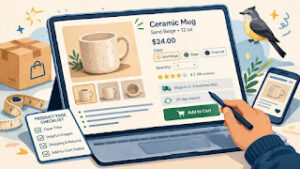




The First 10 Things to Fix

SEO for a small store starts with the basics
A lot of small store owners hear “SEO” and picture a huge project with technical jargon, expensive tools, and months of work. That is one reason it gets pushed down the list. The store is live, orders need attention, and SEO starts to feel like something for later.
In reality, the first layer of ecommerce SEO is more practical than people think. It is mostly about making your store easier for search engines to understand and easier for real shoppers to trust. That means clear page titles, useful product copy, simple site structure, and pages that load without making people wait forever.
For a small online store, the goal is not to “do all SEO.” The better goal is to fix the first issues that quietly hold pages back. When these basics are in place, your products, category pages, and support content have a better chance of showing up and earning clicks over time.
The first 10 ecommerce SEO fixes to make
1) Fix your page titles first
Your page title is one of the clearest signals you give search engines and shoppers. It should tell people what the page is about without sounding stuffed or awkward.
For a product page, that usually means product name plus one useful descriptor. For a category page, use the collection name in plain language. “Ceramic Travel Mugs for Small Kitchens” is better than “Best Mug Cup Drinkware Online Store.”
Keep titles readable. If they sound strange out loud, they usually need work.
2) Write better meta descriptions
Meta descriptions do not carry the same weight as page titles, but they still help with click decisions. Think of them as short ad copy for search results.
A good one explains what the page offers and why someone should click. Stay plain. Stay specific. A product page description that mentions the material, use case, or key benefit will usually do more than a vague sentence about quality.
3) Clean up your URL structure
A messy URL does not help shoppers or search engines. Keep URLs short, readable, and tied to the page topic.
Good: /collections/desk-accessories
Less helpful: /cat-12-items-final-new
You do not need to obsess over every URL, but a clean structure makes the store easier to crawl and easier to trust.
4) Improve product page copy
Many small stores use the manufacturer’s default description, or they write one short paragraph that barely answers anything. That makes it harder for the page to stand out and harder for customers to decide.
A better product page explains:
- what the item is
- who it is for
- what makes it useful
- key size, material, or care details
- shipping or returns basics when relevant
This is also where trust shows up. Thin product pages can feel unfinished. Useful ones feel more legitimate.
5) Strengthen category pages
Category pages are often overlooked, even though they can become some of the strongest SEO pages on a store. A good category page helps shoppers browse and gives search engines more context.
Do not leave category pages as a blank product grid when you can avoid it. Add a short intro, clear category title, and filters that make sense. A category called “Gift Sets” or “Natural Soap Bars” should give people a little orientation, not just a wall of thumbnails.
6) Add internal links that actually help
Internal links help search engines understand your site, but they also help shoppers keep moving. Link related products, related categories, FAQs, and helpful blog posts where it makes sense.
For example, a category page for planners can link to a guide about choosing planner sizes. A product page for candle refills can link back to the main candle collection. These are small signals, but they add up.
The key is to keep links useful, not random.
7) Fix image basics
Large, messy images can hurt page speed, and missing image details waste easy opportunities. Start with the basics:
- compress large images before uploading
- use consistent file names when practical
- add alt text that describes the product or scene clearly
Alt text should help describe the image, not act like a keyword dump. “Blue ceramic mug with curved handle” is better than “mug mug ceramic mug best mug online.”
8) Make sure your site works well on mobile
For a lot of small stores, most traffic now comes through phones. If your mobile experience is clunky, SEO and conversions both take a hit.
Check a few basics:
- Can people read titles without zooming?
- Are buttons easy to tap?
- Do filters and menus work cleanly?
- Do product images load in a reasonable time?
A mobile site that feels frustrating often sends negative signals fast, even if the products themselves are strong.
9) Build a simple trust layer around SEO pages
SEO is not only about rankings. It is also about what happens after the click. A page that gets found but does not feel trustworthy will not do much for the business.
Add quiet trust signals where they belong:
- shipping details
- returns basics
- FAQs
- contact information
- clear pricing and product specs
These do not turn a page into a sales pitch. They make it easier for a cautious shopper to keep going.
10) Create a few useful support or content pages
Small stores do not need a giant blog to benefit from SEO. A few practical pages can go a long way. Think FAQs, comparison pages, care guides, sizing help, or beginner explainers tied to what you sell.
For example, a skincare store could publish a short guide on how to choose between balm and cream. A candle store could publish a simple page on how long different candle sizes last. This kind of content supports search visibility and helps shoppers make decisions with less friction.
What to prioritize if your time is tight
If you only have a few hours this month, do not try to fix the whole site at once. Start with the pages closest to revenue.
Begin here:
- Rewrite the page titles for your homepage, top category pages, and best-selling products.
- Improve the product copy on the pages that already get traffic.
- Check mobile experience on your phone, not just desktop.
- Add missing trust details like shipping, returns, and clear contact info.
- Tighten your category pages so they are easier to browse and easier to understand.
This approach is more useful than chasing a bunch of SEO tasks that look advanced but do not move the basics. For a small store, clarity beats complexity almost every time.
A quick SEO checklist summary
Quick checklist
- [ ] Page titles clearly describe each page
- [ ] Meta descriptions are readable and specific
- [ ] URLs are short and easy to understand
- [ ] Product pages answer real buying questions
- [ ] Category pages have context, not just product grids
- [ ] Internal links help people browse logically
- [ ] Images are compressed and have useful alt text
- [ ] The site works cleanly on mobile
- [ ] Trust details appear on key pages
- [ ] Support or content pages answer common questions
Fix the basics first, then build from there
A lot of SEO progress comes from doing ordinary things well. That is good news for a small online store. You do not need a huge team or a complicated strategy to improve the first layer of search visibility.
What you need is a store that is easier to understand. Easier for search engines to crawl. Easier for shoppers to trust. Easier to use on mobile. Easier to browse without confusion.
That is the real starting point. Fix the first 10 things that quietly block clarity, and the rest becomes easier to build on later.
Gentle next step
Pick your top five traffic or product pages and review them one by one this week. Update the titles, tighten the copy, check the mobile view, and make sure each page answers the basic questions a shopper would have before buying. Sin estrés. A few clean fixes usually do more than a long SEO wish list that never gets finished.
FAQs
Q1. How long does ecommerce SEO take to show results?
A1. It usually takes time. Small fixes can improve page quality right away, but search visibility often builds gradually as pages get crawled, indexed, and compared with other pages.
Q2. Should I focus on product pages or blog posts first?
A2. For most small stores, start with product pages and category pages first. They are closer to buying intent and usually matter more early on.
Q3. Do I need expensive SEO tools to fix the basics?
A3. No. Many first-round improvements come from reviewing your titles, copy, mobile experience, images, and site structure with a practical eye.
Q4. Is SEO only about getting more traffic?
A4. No. Good SEO also supports trust, clarity, and usability after the click, which matters just as much for a small store.
Trending Now
Make It Clear, Fast, and Trustworthy