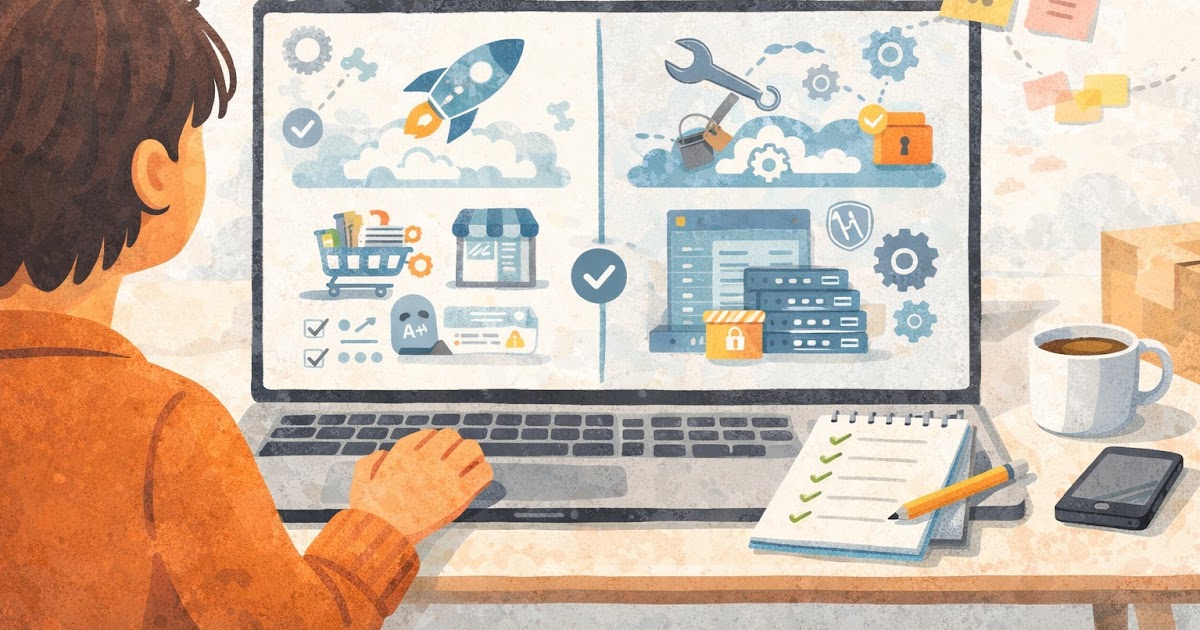
Shopify vs WooCommerce for a Small Online Store

Choosing your store platform
A lot of small store owners compare Shopify and WooCommerce like they are choosing a winner for the whole internet. That usually leads to more confusion, not less. The better question is simpler: which one fits the way your store will actually run day to day?
For a small online store, the platform choice affects setup time, monthly costs, maintenance, and how much technical brega you deal with later. It also affects trust. A store that loads cleanly, checks out smoothly, and stays updated feels more reliable to shoppers.
Both platforms can work well. The difference is in the tradeoffs. One usually feels easier to launch and manage. The other usually gives more control, but asks for more hands-on decisions. That is what matters most when you are trying to get a store live without turning it into a side IT job.
This comparison covers the plain-language differences, a simple decision framework, and the mistakes that trip up small stores when they choose too fast.
How Shopify and WooCommerce differ in real life
Shopify is an all-in-one ecommerce platform. You pay a monthly fee, pick a theme, add products, connect payments, and manage most of the store from one dashboard. Hosting, security, and core platform maintenance are handled for you.
WooCommerce is a plugin that turns a WordPress site into an online store. It gives you a lot of flexibility, but you are also responsible for more moving parts, like hosting, WordPress updates, plugin updates, backups, and sometimes troubleshooting when tools stop playing nice together.
Quick glossary
- Hosted platform: A service that handles core infrastructure, security, and software upkeep for you.
- Open-source setup: A system with more control and customization, but more responsibility on your side.
For many small operators, the biggest difference is not features. It is operational load. Shopify usually asks for less setup thinking up front. WooCommerce usually asks for more choices from day one, including hosting, plugins, checkout setup, and performance management.
Cost is another area where people get tripped up. Shopify has a clearer monthly cost, but you may still pay for apps, premium themes, and transaction-related expenses depending on your payment setup. WooCommerce can look cheaper at first because the plugin itself is available without a platform fee, but your real cost can spread across hosting, premium extensions, backups, security tools, and developer help if something breaks.
Here is the plain version. Shopify is often easier to budget for at the start. WooCommerce can be economical for the right store, but only if you are comfortable managing the parts around it and avoiding plugin sprawl.
Control works differently too. WooCommerce usually gives more freedom over design details, content structure, and custom functionality, especially if your site already runs on WordPress. Shopify can still be customized, but it works best when you are willing to operate inside a more structured system.
Daily maintenance is where the gap becomes obvious. With Shopify, a founder can usually spend more time on products, fulfillment, customer support, and marketing. With WooCommerce, some of that time may go to updates, compatibility checks, and performance fixes. That is not automatically bad. Some businesses want the control. It is just not “free.”
How to choose the better fit for your store
A good platform decision starts with your real constraints, not the internet’s favorite opinions. Think about your budget, timeline, technical comfort, and how much control you actually need in the first year.
Practical steps
- Decide how fast you need to launch. If speed matters more than flexibility, Shopify often has the cleaner path.
- List the tools you know you will need in the first six months, like email capture, product reviews, shipping rules, and basic SEO.
- Be honest about maintenance. If you do not want to deal with updates, backups, or plugin conflicts, count that as a real business cost.
- Check your content needs. If your brand depends heavily on WordPress-style content, landing pages, or a blog-first setup, WooCommerce may fit better.
- Estimate your actual monthly stack, not just the entry price. Include themes, apps, hosting, and support costs.
A simple example helps. Imagine a small skincare brand with 20 products, a tight launch timeline, and no in-house technical help. Shopify is often the smoother choice because it reduces setup friction and keeps the back end simpler.
Now imagine a store that already runs a strong WordPress content site, publishes guides weekly, and needs more custom control over layout and content flow. WooCommerce may make more sense because it keeps the store close to the site the team already knows.
Quick decision guide
- If you want the simplest launch path, do Shopify.
- If you already know WordPress well and want more control, do WooCommerce.
- If you want fewer maintenance tasks, do Shopify.
- If you expect custom content structure or special build-outs, do WooCommerce.
- If you are unsure and just need to start selling, Shopify is often the safer first move.
There is also a trust angle here. Small stores usually do better when the owner can keep the site updated, the checkout smooth, and the customer experience consistent. A platform that fits your actual capacity is usually more trustworthy than a more powerful platform you barely have time to manage.
Quick checklist summary
- [ ] I know my first-year budget range
- [ ] I know how fast I need the store live
- [ ] I know whether I want less maintenance or more control
- [ ] I know which tools I need right away
- [ ] I know whether WordPress is already part of my setup
- [ ] I know how much technical support I can realistically handle
- [ ] I am choosing based on operations, not just feature hype
Common mistakes when comparing Shopify and WooCommerce
A common mistake is comparing features without comparing workload. A store owner sees that both platforms can sell products, run discounts, collect payments, and manage shipping, then assumes the difference is small. On paper, maybe. In weekly operations, not always.
Common mistakes
- Choosing based on someone else’s business model: A creator with a blog-heavy site may love WooCommerce, but that does not mean it is the right fit for a small product-first store. Match the platform to your workflow, not theirs.
- Underestimating maintenance: WooCommerce can work well, but updates, backups, and plugin conflicts are real tasks. If nobody owns them, the store can get messy fast.
- Overbuying apps or plugins early: New stores often install too many tools before they even know what customers need. Start lean, then add based on real friction.
- Picking flexibility you will never use: Extra control sounds good until it creates more decisions, more setup time, and more room for breakage.
- Treating monthly price as the full cost: Time, troubleshooting, and support also cost money, even when they are not on the invoice.
Alternatives
- Shopify: Best for small teams that want a cleaner launch path and less technical overhead, tradeoff is less open-ended control.
- WooCommerce: Best for stores that already live inside WordPress or need deeper customization, tradeoff is more upkeep and more moving parts.
One more mistake is waiting too long to decide. A founder can lose weeks reading comparisons and watching setup videos while nothing goes live. For a small store, momentum matters. A good-enough platform that fits your workflow is usually better than a theoretically perfect one that keeps the launch stuck.
Bottom line
Shopify and WooCommerce can both power a solid small online store. The better choice depends less on who has more features and more on how much setup friction, maintenance, and control you want to live with.
For many beginners, Shopify is the simpler first best action. It helps you launch faster and manage less technical overhead. WooCommerce can be the stronger fit when WordPress is already central to the business or when more customization is worth the extra work.
Choose the platform you can run well, not the one that sounds most impressive. A store that stays updated, easy to use, and easy to trust will usually beat a more customizable store that becomes a headache after month two.
What to do next
Write down your real priorities in one short list: launch speed, budget, content needs, technical comfort, and maintenance tolerance. Then pick the platform that matches that list best, not the one that wins the loudest online debate.
After that, do one practical thing today. Create a starter setup checklist for your chosen platform, with theme, payments, shipping, email capture, and core pages. That small move will get you closer to launch than another hour of comparison scrolling.
Common questions
Q1. Is Shopify better than WooCommerce for beginners?
A1. For many beginners, yes. Shopify usually asks for fewer technical decisions and less maintenance, which makes it easier to launch and manage.
Q2. Is WooCommerce cheaper than Shopify?
A2. It can be, but not always. The plugin cost is only part of the picture. Hosting, premium plugins, backups, security, and support can change the real monthly total.
Q3. Which platform gives more control?
A3. WooCommerce usually gives more control, especially if your site already runs on WordPress. The tradeoff is that more control often comes with more upkeep.
Q4. What is the safer first choice for a small store?
A4. If the goal is to start selling with less technical friction, Shopify is often the safer first choice. If content flexibility and WordPress control matter more, WooCommerce may be the better fit.